How to Create a Beautiful Photo of You and Your Cat Together
Want a beautiful portrait of you and your cat? Learn how to take natural owner-and-cat photos, choose the right lighting, and create memorable pet photography.
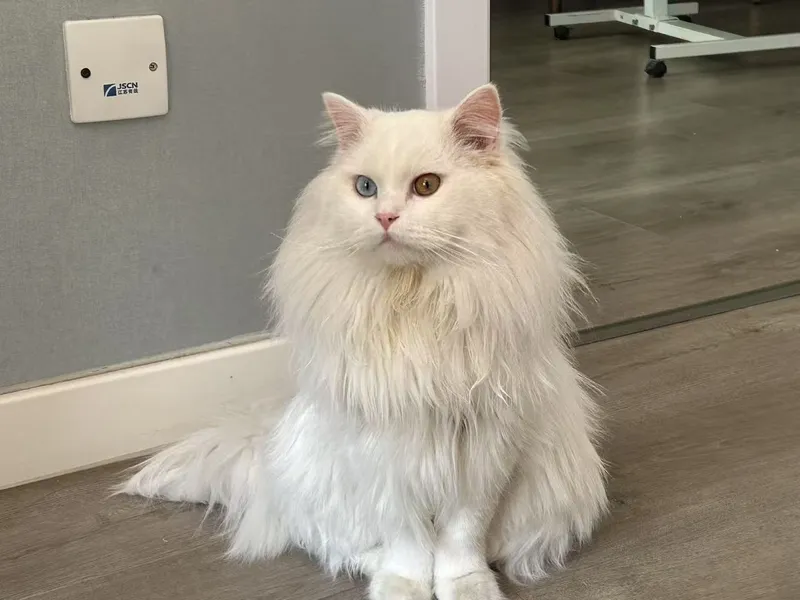
Your cat may have hundreds of photos on your phone, but how many pictures do you have together?
For many pet owners, the most meaningful photographs aren't just pictures of their pets. They're pictures of the moments they share.
A beautiful photo of you and your cat can capture the bond between you in a way that an ordinary pet portrait cannot.
Here's how to create a photo you'll want to keep.
1. Choose a Natural Pose
You don't need a complicated photoshoot setup.
Some of the best owner-and-cat photos come from simple, everyday moments.
Try these poses:
Holding Your Cat
Sit comfortably and hold your cat gently against your chest.
Sitting Together on the Sofa
Let your cat sit beside you while you look toward the camera.
A Close-Up Portrait
Capture your face and your cat's face together in one frame.
A Quiet Moment
Photograph yourself gently looking at or cuddling your cat.
The most important thing is to keep the interaction natural.
2. Find the Right Lighting
Good lighting can make an ordinary photo look much more professional.
Try these simple tips:
- Photograph near a large window.
- Avoid direct sunlight.
- Choose a clean background.
- Wear clothing that doesn't visually compete with your cat.
- Make sure both your face and your cat's face are visible.
Soft natural light usually creates a warm and flattering atmosphere.
3. Capture Your Cat's Personality
Don't force your cat into an uncomfortable position just to get the perfect picture.
Let them sit, relax, or interact naturally.
A genuine moment between you and your cat will often look better than a perfectly staged pose.
4. Create a Separate AI Portrait of Your Cat
If you also want a polished professional pet portrait, SoulPaw can help transform your cat's photos into beautiful AI artwork.
Upload 2–4 clear photos of your cat on their own, then choose a portrait template you like. Download the finished portrait and put it beside the photo you took together in an album. One picture shows the expression you know so well. The other holds a moment you shared.
Create a portrait of your cat with SoulPaw to go alongside your photo together.