How to Create an Elegant AI Cat Portrait for Instagram
Want your cat to stand out on Instagram? Learn how to create beautiful AI cat portraits, choose the right photography style, and make shareable pet photos.
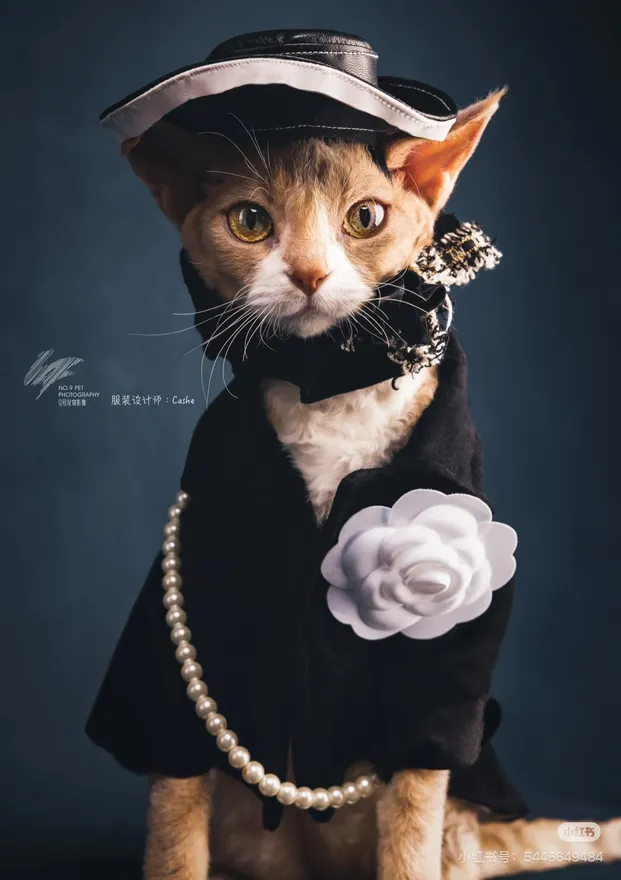
Let's be honest: cat photos are always a good idea on Instagram.
But instead of posting another ordinary phone picture, why not create something different?
AI pet portraits can transform everyday cat photos into creative, polished images that are fun to share with friends and followers.
Here are some ideas for making your cat the star of your Instagram feed.
1. Start with a Photo That Shows Your Cat's Personality
Choose a photo that captures something special about your cat.
It could be:
- Their curious expression.
- Their beautiful eyes.
- Their favorite sleeping position.
- Their unique fur pattern.
- Their funniest facial expression.
A recognizable photo is a great starting point for an AI portrait.
2. Choose an Instagram-Friendly Style
Here are five styles worth trying.
Luxury Editorial Portrait
Give your cat a sophisticated magazine-style appearance.
Royal Nobility Portrait
Turn your cat into an elegant royal character.
Watercolor Portrait
Create a soft artistic image with a handmade feel.
Classic Expression Trio
Show several different expressions in one creative collage.
Wink & Smile
Highlight your cat's cutest facial expressions.
These are some of the creative portrait options available through SoulPaw.
3. Create Your Portrait with SoulPaw
You don't need to learn image editing software or write complicated AI prompts.
Simply:
- Upload 2–4 clear photos of your cat.
- Browse the available templates.
- Choose your favorite style.
- Generate your portrait.
- Download your finished image.
You can try different styles to build a collection of unique cat portraits.
4. Instagram Post Ideas
Once you have your images, try these content ideas.
Before and After
Show the original cat photo next to the AI-generated portrait.
Meet My Cat
Create a beautiful portrait and introduce your cat to your followers.
Three Different Personalities
Share three different AI portraits showing different styles.
Funny vs. Elegant
Compare a silly cat photo with a luxurious editorial portrait.
5. Write a Cute Caption
Here are a few caption ideas:
- "Not just a cat. A whole personality."
- "My little superstar deserves a photoshoot."
- "Professional model. Amateur napper."
- "Living the luxury life, one nap at a time."
Your cat already has the personality. Now give them the portrait.