How to Create a Beautiful Portrait of Your Cat with AI
Learn how to turn an ordinary cat photo into a beautiful professional AI cat portrait. Discover photo tips, portrait styles, and an easy way to create stunning pet artwork.
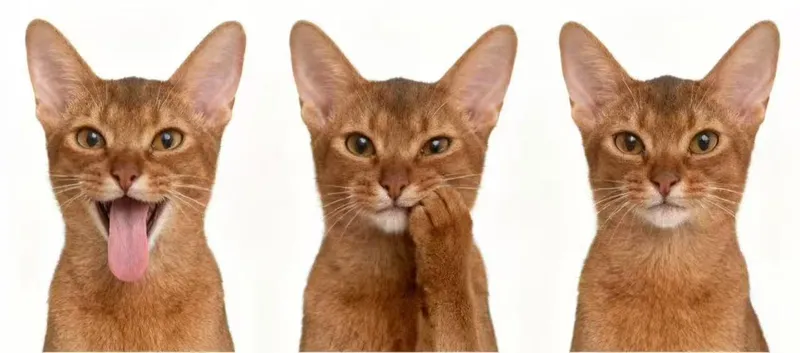
Your cat is more than just a pet. They're part of your family, your daily routine, and some of your favorite memories. So why not turn one of your favorite cat photos into something special?
With AI pet portrait generators, you can transform an ordinary phone photo into a beautiful, professional-looking portrait without hiring a photographer or setting up an expensive studio.
Here's how to create a beautiful AI portrait of your cat.
1. Start with a Good Photo of Your Cat
The quality of your original photo plays an important role in the final result.
You don't need a professional camera. A smartphone photo can work perfectly well.
For the best results:
- Choose a photo where your cat's face is clearly visible.
- Use natural lighting whenever possible.
- Avoid photos that are too blurry or dark.
- Make sure your cat's fur patterns and facial markings are visible.
- Try taking photos from different angles.
If possible, prepare 2–4 clear photos of your cat. Multiple reference photos can help AI understand your pet's appearance.
2. Choose the Right Portrait Style
Once you have your photos, think about the kind of portrait you want.
Here are some popular ideas:
Classic Studio Portrait
A clean background, beautiful lighting, and a sharp focus on your cat's face. This is perfect if you want something timeless.
Luxury Pet Portrait
Give your cat an elegant, high-end editorial look with sophisticated lighting and a polished background.
Watercolor Cat Portrait
Turn your cat into a soft watercolor painting. This style works especially well as wall art or a personalized gift.
Royal Cat Portrait
Imagine your cat sitting on a golden throne, wearing a luxurious royal outfit. It's a fun way to create something completely different.
3. Create Your AI Cat Portrait with SoulPaw
SoulPaw makes it easy to transform everyday pet photos into memorable AI portraits.
The process is simple:
- Visit SoulPaw.
- Upload 2–4 clear photos of your cat.
- Browse the available portrait styles.
- Select the look you want.
- Generate your portrait and download the result.
You don't need to write complicated prompts or have photo editing experience.
4. Make Your Portrait Something to Remember
Once you have your AI portrait, you can:
- Print it and frame it at home.
- Use it as your phone wallpaper.
- Share it on Instagram.
- Create a personalized gift for another cat lover.
- Keep it as a digital memory of your pet.
Your cat already has a personality worth celebrating. A beautiful portrait is simply another way to capture it.
Ready to create something special?
Try SoulPaw and turn your favorite cat photo into a portrait worth keeping.